AI Just Made Your Browser Safer—But Can Your Business Keep Up?

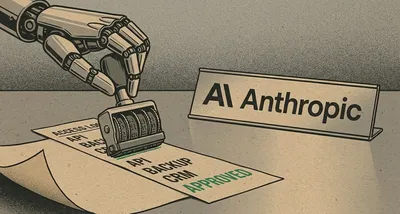
Image generated with AI
This article and its cover image were generated with artificial intelligence (AI).
AI Just Made Your Browser Safer—But Can Your Business Keep Up?
Your web browser just got a lot safer—thanks to artificial intelligence. But here’s the catch: the speed of security is changing so fast that if your business isn’t keeping up, you might not be as protected as you think.
Google says it patched 1,072 security bugs in Chrome in June 2026—more than in the previous two years combined. That’s not because Chrome suddenly became less secure. In fact, it’s the opposite. The reason? AI tools are now finding and helping fix flaws faster than ever before.
Think of it like this: imagine you run a small bakery. For years, you’ve had one person checking each cake before it goes out the door. They do a good job, but they can only catch so many mistakes. Now, imagine adding a smart camera system that scans every cake in seconds, spotting tiny flaws no human would notice. Suddenly, you’re fixing more issues before customers even see them. That’s what AI is doing for Chrome—but instead of cakes, it’s catching digital vulnerabilities that hackers could exploit.
What’s Actually Changing?
Google used AI models—tools like Gemini—to automatically scan Chrome’s code for weaknesses. These systems don’t get tired, don’t need breaks, and can analyze millions of lines of code in minutes. As Doug Turner, Chrome’s director of engineering, put it: “LLMs have fundamentally shifted the economics of cybersecurity, transforming vulnerability discovery into an automated, industrial-scale operation.”
In plain terms: what used to take teams of engineers weeks or months to find, AI can now uncover in hours. And Google is fixing them—fast.
For context: the previous 23 versions of Chrome, released over two years, had fixed a total of 1,036 bugs. In just one month, June 2026, they fixed more than that—1,072 bugs—across two versions (called “milestones” by Google).
Microsoft also reported a record number of fixes in a single update cycle, citing AI as a key driver. Apple, by contrast, has not seen the same spike in patch volume, according to public data.
This isn’t just about Chrome. It’s a sign of a bigger shift: AI is reshaping how software stays secure. And that changes everything for your business.
Why This Matters for Your Business
Let’s say you run a dental clinic, a webshop, or a local delivery service. Your team likely uses Chrome—or a Chrome-based browser—every day to check emails, manage appointments, process payments, or update inventory. That browser is a gateway to your business data.
The good news? Thanks to AI, that gateway is being reinforced at an unprecedented pace. Each update makes it harder for hackers to sneak in through hidden backdoors.
But here’s the challenge: security only works if your software is up to date.
Google is now considering moving to twice-weekly security updates instead of weekly ones. That means new protections are arriving faster—but so are new risks if you’re not applying those updates promptly.
For a business with an IT team, this might mean adjusting how and when updates are rolled out. For a small shop or freelance designer managing their own devices, it could mean falling behind without even realizing it.
Imagine your laptop is running a version of Chrome from three weeks ago. Even though Google has already fixed dozens of serious flaws, your system doesn’t have those fixes. You’re technically using “secure” software—but you’re not benefiting from the latest protections.
It’s like locking your shop door every night but ignoring a broken alarm system. The lock is good, but the full protection isn’t active.
What Should You Do Now?
The lesson is simple: staying secure isn’t just about having good software—it’s about keeping it current.
With AI uncovering flaws at machine speed, waiting days or weeks to update your systems creates unnecessary risk. Manual updates, or relying on employees to click “update now,” just aren’t reliable enough anymore.
Here’s how to stay ahead:
- Automate updates where possible. Let your devices install critical security patches automatically, especially for browsers and operating systems.
- Monitor your devices to ensure updates are actually applied—not just downloaded.
- Talk to your IT provider about how they’re handling the increasing pace of security patches. Are they proactive? Do they test updates before rolling them out, so your business doesn’t face downtime?
This isn’t about fear. It’s about staying in step with reality. The digital world is moving faster, and security is no longer a “set it and forget it” task.
FAQ: What Business Owners Are Asking
Q: Does this mean Chrome is safer now than other browsers?
A: Google says AI has helped them fix more bugs, faster. But all major browsers receive regular updates. The key for any business is not which browser you use, but whether it’s always up to date.
Q: Should I update my devices every time a new patch comes out?
A: For security updates—especially in browsers and operating systems—yes, it’s best to apply them as soon as possible. Delaying updates leaves known weaknesses unpatched, which hackers can exploit.
Q: Can AI also be used by hackers?
A: Yes, AI is a tool—like a hammer. It can be used to build stronger defenses, or to find new ways to break in. That’s why staying updated is so important: it closes the doors AI might otherwise help attackers open.
IT Move NL
Whether you run a small restaurant, a freelance design studio, or a growing clinic, the pace of digital change can feel overwhelming. And if you’re an IT manager at a small business, you’re likely juggling more than ever.
This shift isn’t just about Chrome—it’s about how quickly security moves now, thanks to AI. We help businesses like yours stay protected without the stress.
Let us handle the updates, monitoring, and security checks, so you can focus on what you do best. Reach out here—no jargon, no pressure, just practical support.
Sources: Google security reports, Microsoft Patch Tuesday data, Apple security updates, Chrome release blog
Sources:

Reviewed by
David Velarde RoblesHe/Him · Content reviewer · AWS Certified Solutions Architect | Cloud Engineer @ Essent
Cloud Engineer at Essent B.V. with 10+ years of experience in the tech industry. AWS Certified, passionate about serverless architectures, Infrastructure as Code, and DevOps. Proficient in TypeScript, Python, and Terraform. Based in Amersfoort, Netherlands.
STAY IN THE LOOP
// Cloud, AI & DevOps insights — straight to your inbox.
No spam. Unsubscribe anytime.
// Related articles


Need help with your cloud infrastructure?
Our team of experts is ready to help you navigate the complexities of modern cloud architecture.
Get in Touch