Boost Green Delivery to 75 % with One Checkout Change
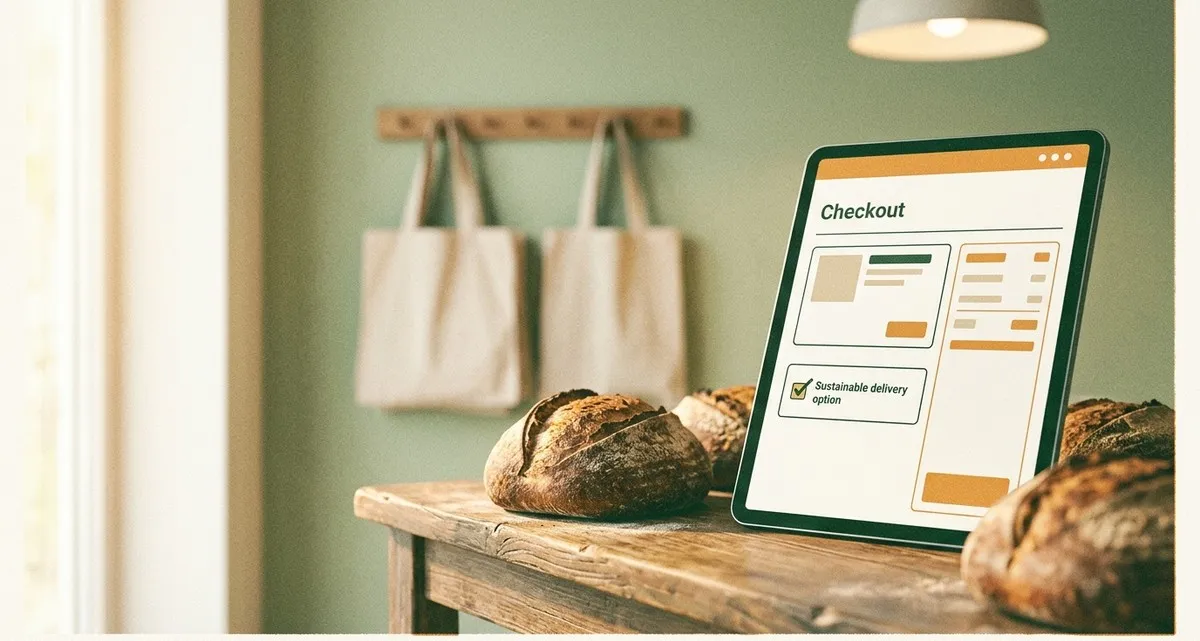
Image generated with AI
This article and its cover image were generated with artificial intelligence (AI).
Intro – A tiny change with a big impact
Imagine you run a small online shop – a bakery, a local clothing store. You want to be more sustainable, but you’re not sure how to get your customers to choose greener delivery options. A recent field experiment shows that simply pre‑selecting the sustainable delivery choice in the checkout can lift the share of green deliveries from around 7 % to 75 %. No extra discounts, no fancy labels, just a small default setting that does the heavy lifting for you.
In this article we’ll unpack the research, explain why the “default” works, and give you a practical, step‑by‑step guide to implement it in your own webshop – all without needing a developer on hand.
The research in a nutshell: how green delivery jumps from 7 % to 75 %
Een logistiek SaaS‑platform dat het onderzoek uitvoerde, werkte samen met de universiteit die mee‑werkte aan het onderzoek om een live‑experiment te draaien op de checkout van een echte webshop (een voorbeeld‑webshop die deelnam aan het veldexperiment). Over acht maanden registreerden ze hoe shoppers kozen tussen:
- Fast delivery (the usual default)
- Sustainable delivery (slower, but greener)
| Situation | Share of sustainable deliveries |
|---|---|
| Fast delivery pre‑selected (status‑quo) | ~7 % |
| Sustainable delivery pre‑selected (default) | ~75 % |
| Sustainable delivery with green label only | ~10 % |
| Sustainable default plus €1 discount plus label | ~90 % |
The key takeaway is clear: the default option is far more powerful than price incentives or information alone. Even a €1 discount only lifts the figure to one‑fifth of what a default can achieve.
Why a default works – the nudge principle
People tend to go with the path of least resistance, especially in a moment of decision fatigue like an online checkout. This is known as the nudge principle: a subtle change in the environment steers behaviour without restricting freedom of choice. When the sustainable option is already ticked, shoppers only have to untick it if they really want the faster, less green alternative. The extra effort of changing the selection makes the default win the majority of the time.
Practical steps to make the sustainable shipping option the default
Below is a simple checklist you can follow, regardless of whether you use Shopify, WooCommerce, Magento, or a custom solution. The goal is to adjust the checkout so the sustainable option appears first and is already selected.
1. Identify the delivery methods in your system
Log in to your webshop’s admin panel and locate the list of shipping methods.
- Look for the “fast” (often called “Standard” or “Express”) and the “green” method (might be labelled “Sustainable”, “Eco‑delivery”, or “Delayed”).
- If you don’t have a green option yet, add one with a clear description of the environmental benefit and the expected delivery time (e.g., “Delivered in 3‑5 days, carbon‑neutral”).
2. Set the green method as the default
Most platforms let you choose a default shipping method:
| Platform | How to set default |
|---|---|
| Shopify | In Settings → Shipping and delivery, edit the shipping zone, drag the green method to the top, and tick “Default selection”. |
| WooCommerce | Use a small snippet (a tiny piece of code) that adds the filter add_filter (a WordPress hook that changes the default) add_filter( 'woocommerce_shipping_chosen_method', function() { return 'green_shipping_rate_id'; } ); – replace the ID with your green method’s ID. |
| Magento | In Stores → Configuration → Sales → Shipping Methods, set “Default Shipping Method” to your green option. |
| Custom | Ensure the HTML <input type="radio"> (the tick‑box element that lets customers choose a shipping method) for the green method includes the checked attribute. |
If you’re not comfortable editing code, a short call with a web‑developer can set this up in under an hour.
3. Keep the fast option visible
Don’t hide the faster delivery completely; keep it as an alternative. This respects customers who need urgent shipments (e.g., a bakery needing same‑day bread). The default will still capture the majority, while the fast option remains a clear, optional choice.
4. Test the checkout flow
- Run a quick internal test: place an order as a regular customer and verify that the green option is pre‑selected.
- Check mobile vs. desktop: sometimes default settings behave differently on mobile devices.
- Monitor for errors: ensure the correct shipping cost is applied and that the order summary reflects the chosen method.
5. Measure the impact
Use your analytics or the built‑in reporting of the webshop to track the share of sustainable deliveries month over month. A simple KPI could be “percentage of orders with green shipping”. Compare the numbers before and after the change – you should see a jump from single‑digit percentages toward the 70 % range.
6. Communicate the benefit
A short line next to the green option, such as “Carbon‑neutral – helps the planet”, can reinforce the positive feeling without needing a full label. Because the default already does most of the work, you don’t need to rely on discounts or elaborate badges.
FAQ
Q: Can I still offer faster delivery if I pre‑select the green option?
A: Yes, keep the fast option available so customers can switch it if they need speed.
Q: Will pre‑selecting green delivery raise my shipping costs?
A: The default itself costs nothing; any cost difference depends on the carrier you choose.
Q: How quickly will I see more green deliveries after changing the default?
A: Most businesses notice a rise within the first few weeks.
Closing – Let’s make your checkout greener, together
A simple default setting can turn a modest 7 % of green deliveries into a thriving 75 % – all without extra discounts or complex redesigns. If you’d like help implementing this tweak, our Websites & Web‑Apps service can adjust your checkout so the sustainable option automatically takes the lead, while keeping the design clean and the user experience smooth. No programming skills are required on your side; we handle the technical details and make sure everything works on desktop and mobile.
Ready to give your customers an easy way to choose greener delivery? Contact IT Move NL today, and let’s turn that small nudge into a big win for your business and the planet. Just reply to this email or give us a call – we’ll set up a quick 15‑minute chat and get the default live on your shop.
Sources:

Reviewed by
David Velarde RoblesHe/Him · Content reviewer · AWS Certified Solutions Architect | Cloud Engineer @ Essent
Cloud Engineer at Essent B.V. with 10+ years of experience in the tech industry. AWS Certified, passionate about serverless architectures, Infrastructure as Code, and DevOps. Proficient in TypeScript, Python, and Terraform. Based in Amersfoort, Netherlands.
STAY IN THE LOOP
// Cloud, AI & DevOps insights — straight to your inbox.
No spam. Unsubscribe anytime.
// Related articles


Need help with your cloud infrastructure?
Our team of experts is ready to help you navigate the complexities of modern cloud architecture.
Get in Touch