Protect Your Business from Hidden App Charges
Protect Your Business from Hidden App Charges
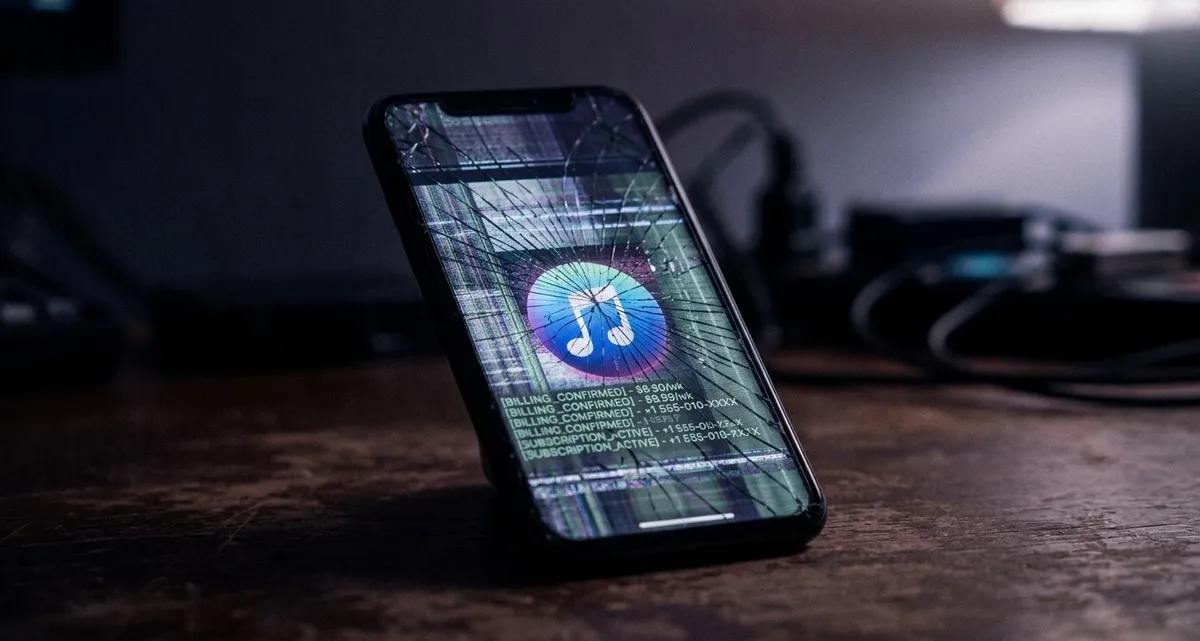
Imagine this: a customer downloads an app that looks like a popular game or social media platform. They use it normally, but behind the scenes, the app is silently signing them up for paid services they never agreed to. Their phone bill starts climbing — and they don’t even realize it’s happening.
This isn’t just a problem for individual users. If your business has an app, encourages customers to download one, or even just has employees using Android phones for work, this could affect you too. Here’s what’s happening and how to protect your business.
What’s Going On? Fake Apps & Hidden Costs
Cybercriminals are creating fake apps that look like well-known ones — think Messenger, TikTok, or Minecraft. These apps don’t just steal data; they secretly subscribe users to premium services, charging their phone bills without permission.
Here’s how it works:
- The fake app looks and behaves like the real one, so users don’t suspect anything.
- When the user opens the app, it quietly signs them up for paid services (like premium SMS subscriptions) using sneaky techniques.
- Some apps even intercept text messages (like one-time passwords) to confirm subscriptions without the user knowing.
- Others turn off Wi-Fi to force the phone to use mobile data, making it easier to charge the user’s phone bill.
This isn’t just a few isolated cases. Since early 2025, hundreds of these fake apps have been spreading, targeting users in countries like Malaysia, Thailand, Romania, and Croatia. If it’s happening there, it could spread to other regions — including yours.
Why Should Your Business Care? It’s Not Just a Customer Problem
At first glance, this might seem like a personal issue. But as a business owner, here’s why it matters to you:
1. Reputation Risk
If your business has an app (for loyalty programs, ordering, or customer engagement), customers might associate any fraud with your brand — even if the fake app just looks like yours. Trust is hard to build and easy to lose.
Example: A bakery launches an app for online orders. A fake version appears, tricking customers into subscribing to paid services. Customers blame the bakery, even though the bakery had nothing to do with it.
2. Employee Vulnerability
Many small businesses rely on employees using their personal phones for work — checking emails, accessing company apps, or even handling payments. If an employee downloads a fake app, it could:
- Intercept sensitive work messages (like login codes for company accounts).
- Charge fraudulent fees to their phone bill, leading to disputes or financial losses.
- Put company data at risk if the app has access to work emails or files.
Example: A freelance designer uses their phone to access client files and emails. A fake app intercepts a login code, giving attackers access to their work accounts.
3. Financial Impact
Fraudulent charges can lead to disputes, chargebacks, or even legal trouble if customers or employees think your business is responsible. Even if you’re not directly targeted, the erosion of trust in digital tools can affect how customers interact with your business online.
How Are These Apps Doing This? A Quick Look Under the Hood
You don’t need to be a tech expert to protect your business, but understanding how these attacks work can help you spot red flags. Here’s what’s happening behind the scenes:
- WebView Automation: The fake app opens a hidden browser window (called WebView) that mimics a real website. The user thinks they’re interacting with a normal app, but the app is secretly signing them up for paid services.
- OTP Interception: Some apps steal one-time passwords (OTPs) — those short codes sent via text message to confirm logins or payments. The app captures the code before the user sees it, allowing attackers to confirm subscriptions.
- Wi-Fi Disabling: Some apps turn off Wi-Fi to force the phone to use mobile data. This makes it easier to charge the user’s phone bill directly, as mobile carriers process the payments.
- SMS Retriever API Abuse: Normally, this tool helps apps read SMS messages for legitimate purposes (like auto-filling codes). Attackers misuse it to steal OTPs without the user knowing.
The key takeaway? These apps are designed to stay hidden while quietly draining money from users.
Protecting Your Business & Your Customers: A Practical Guide
You don’t need to become a cybersecurity expert to keep your business safe. Here’s what you can do today:
For Your Business
✅ If you have an app:
- Only publish apps through official stores (Google Play Store, Apple App Store). Avoid third-party app stores.
- Regularly update your app to fix security vulnerabilities.
- Monitor reviews for complaints about unexpected charges — this could be a sign of fraud.
✅ If you encourage customers to download apps:
- Direct them to official app stores and warn them about fake apps.
- Provide clear instructions on how to spot legitimate apps (e.g., check the developer name, read reviews).
✅ For employee devices:
- If employees use personal phones for work, encourage them to:
- Only download apps from trusted sources.
- Avoid apps that ask for unnecessary permissions (like access to SMS messages).
- Use two-factor authentication (2FA) for work accounts — but avoid SMS-based 2FA if possible (use an authenticator app instead).
For Your Customers
✅ Educate them:
- Share simple tips on how to spot fake apps (e.g., check the developer name, read reviews, avoid apps with few downloads).
- Remind them to review their phone bills regularly for unexpected charges.
✅ Offer alternatives:
- If you rely on an app for customer engagement (like a loyalty program), consider offering a web-based alternative that doesn’t require a download.
For Everyone
✅ Use common sense:
- If an app asks for permissions it doesn’t need (like access to SMS messages for a game), don’t install it.
- Regularly review app permissions on your phone and revoke access for apps you don’t use.
✅ Stay informed:
- Cyber threats evolve quickly. Follow trusted sources (like this blog!) for updates on new risks.
FAQ: What Business Owners Need to Know
Q: My business doesn’t have an app. Am I still at risk? A: Yes. Even if you don’t have an app, your employees or customers might download fake ones. If an employee’s phone is compromised, it could put company data at risk. Plus, fraudulent charges can lead to disputes that indirectly affect your business.
Q: How can I tell if an app is fake? A: Look for these red flags:
- The app asks for permissions it doesn’t need (like SMS access for a game).
- The developer name doesn’t match the brand (e.g., “TikT0k” instead of “TikTok”).
- The app has few downloads or negative reviews mentioning unexpected charges.
- It’s only available on third-party app stores (not Google Play or the App Store).
Q: What should I do if I think an app is fake? A: Uninstall it immediately and report it to the app store. Check your phone bill for unexpected charges and contact your carrier if you find any. If you’re using the app for work, notify your IT team or manager.
IT Move NL
Whether you’re running a dental clinic, a webshop, or a logistics company, digital security affects how you do business. These kinds of threats might seem distant — until they hit close to home. The good news? You don’t need to figure it out alone.
If you’re unsure how to protect your business (or just want a second opinion), let’s talk. No jargon, no sales pitch — just practical advice for keeping your business safe.
Sources:

He/Him · AWS Certified Solutions Architect | Cloud Engineer @ Essent
Cloud Engineer at Essent B.V. with 10+ years of experience in the tech industry. AWS Certified, passionate about serverless architectures, Infrastructure as Code, and DevOps. Proficient in TypeScript, Python, and Terraform. Based in Amersfoort, Netherlands.
STAY IN THE LOOP
// Cloud, AI & DevOps insights — straight to your inbox.
No spam. Unsubscribe anytime.
// Related articles



Need help with your cloud infrastructure?
Our team of experts is ready to help you navigate the complexities of modern cloud architecture.
Get in Touch