Why Xbox’s New Console Matters for Your Business
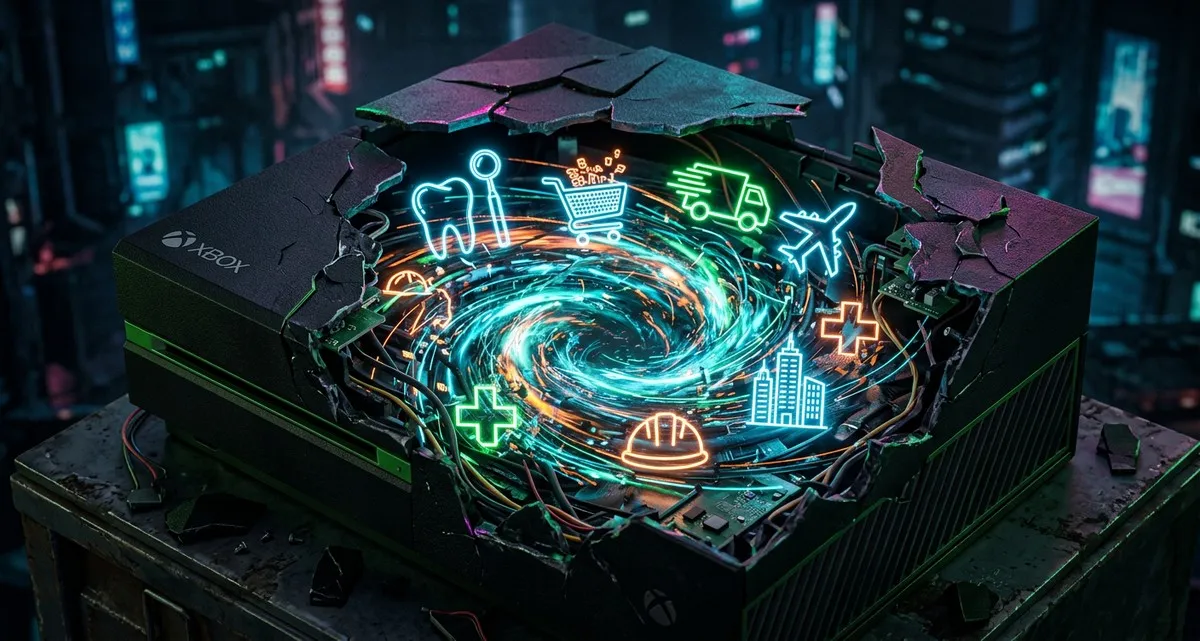
Why Xbox’s New Console Matters for Your Business
Imagine walking into your favorite café and seeing the barista use the same tablet to take orders, manage inventory, and even play music—all without switching devices. That kind of seamless flexibility is where technology is headed. And while it might sound unrelated, a recent announcement from Xbox is a small but telling sign of this shift.
You don’t need to be a gamer to care about this. What’s happening with Xbox’s new console isn’t just about games—it’s about how technology is becoming more adaptable, more connected, and more demanding of the tools businesses rely on. Here’s why it matters for your business, whether you run a dental clinic, a webshop, or a local delivery service.
What’s Actually Happening with Xbox?
Xbox recently revealed details about their next gaming console, codenamed Project Helix. The big news? It’s designed to play both Xbox games and PC games. Think of it like a universal remote for entertainment—one device that can access everything, instead of being locked into one system.
Right now, if you buy a game on Xbox, you can’t play it on a PlayStation or a PC (and vice versa). Project Helix aims to break down those walls. It’s not just about convenience—it’s also expected to be one of the most powerful consoles on the market, setting a new standard for performance.
This move is led by Asha Sharma, the new head of Xbox, and more details will be shared at the Game Developers Conference next week. But the key takeaway isn’t the console itself—it’s what this shift represents for the future of technology.
Why Should a Business Owner Care? The Rise of “Open” Systems
At first glance, this might seem like a niche update for gamers. But it’s actually part of a much bigger trend: the move toward open systems. That’s a fancy way of saying technology that works together, no matter the brand or platform.
Here’s why that matters for your business:
1. Customers Expect Flexibility
- Example: A freelance graphic designer might use a Mac for design work but need Windows for certain software. If they can’t switch between the two easily, it slows them down—and they might look for tools that do work seamlessly.
- Your business: Whether you sell products online, manage appointments, or handle customer data, your tools need to work across devices and platforms. If they don’t, you risk frustrating customers (or employees).
2. IT Systems Need to Keep Up
- Example: A small restaurant might use one system for reservations, another for payments, and a third for inventory. If those systems don’t “talk” to each other, it creates extra work—and mistakes.
- Your business: As technology becomes more interconnected, your IT setup needs to handle a wider range of tools. That might mean upgrading your hardware, choosing software that plays well with others, or even rethinking how you store data.
3. Performance Matters (Even Outside Gaming)
- Example: A logistics company using route-planning software needs fast, reliable hardware. If their computers can’t keep up, deliveries get delayed—and customers get unhappy.
- Your business: Project Helix is built for high performance, and that’s a sign of where technology is headed. Even if you’re not gaming, you’ll need devices that can handle demanding tasks—whether that’s running complex software, processing large files, or supporting multiple users at once.
What Does This Mean for Your Business’s Tech?
So, what should you do with this information? Here are three practical takeaways:
1. Think About Compatibility
- When choosing software or hardware, ask: Does this work with other tools we use? For example:
- If you’re a webshop owner, does your payment processor integrate with your inventory system?
- If you’re a clinic, can your appointment software sync with your patient records?
- The more your tools work together, the smoother your operations will run.
2. Plan for Future-Proofing
- Technology isn’t getting simpler—it’s getting more interconnected. That means:
- Hardware: Invest in devices that can handle more demanding tasks over time (e.g., computers with enough processing power for future software updates).
- Software: Choose tools that are regularly updated and support multiple platforms (like cloud-based apps that work on phones, tablets, and computers).
- Example: A bakery using a point-of-sale system should pick one that can add new features (like online ordering) without needing a full replacement.
3. Stay Informed (But Don’t Panic)
- You don’t need to become a tech expert, but keeping an eye on trends helps you make smarter decisions. Follow tech news in simple terms (like this blog!), or ask your IT team (or provider) to explain how changes might affect your business.
- Example: If you hear about a new standard for data security, ask: Does this apply to us? Do we need to update anything?
FAQ: What Business Owners Are Asking
Q: Do I need to buy an Xbox for my business?
No! This isn’t about gaming—it’s about the bigger trend of technology becoming more flexible. You don’t need the console, but you do need to think about how your business tools work together.
Q: How do I know if my current tools are “compatible”?
A good rule of thumb: If you’re constantly switching between apps, copying data manually, or dealing with errors when systems don’t sync, your tools might not be as compatible as they could be. Ask your IT team (or software provider) for recommendations.
Q: What’s the first step to future-proofing my tech?
Start small:
- For hardware: Check if your computers or devices are due for an upgrade. Can they handle new software or more users?
- For software: Review your most-used tools. Are they cloud-based? Do they integrate with other apps you use?
- For security: Make sure your data is backed up and your systems are updated regularly.
IT Move NL
Whether you’re running a tech team or a local shop, shifts like this affect how you do business online. The good news? You don’t have to figure it out alone. We help small businesses navigate these kinds of changes—whether that’s choosing the right tools, setting up secure systems, or just making sure everything works without the headaches. Let’s talk about what’s next for your business. No jargon, no pressure—just practical advice.
Sources:

He/Him · AWS Certified Solutions Architect | Cloud Engineer @ Essent
Cloud Engineer at Essent B.V. with 10+ years of experience in the tech industry. AWS Certified, passionate about serverless architectures, Infrastructure as Code, and DevOps. Proficient in TypeScript, Python, and Terraform. Based in Amersfoort, Netherlands.
STAY IN THE LOOP
// Cloud, AI & DevOps insights — straight to your inbox.
No spam. Unsubscribe anytime.
// Related articles



Need help with your cloud infrastructure?
Our team of experts is ready to help you navigate the complexities of modern cloud architecture.
Get in Touch