Activate iPhone’s hidden anti‑scam shield to protect your business
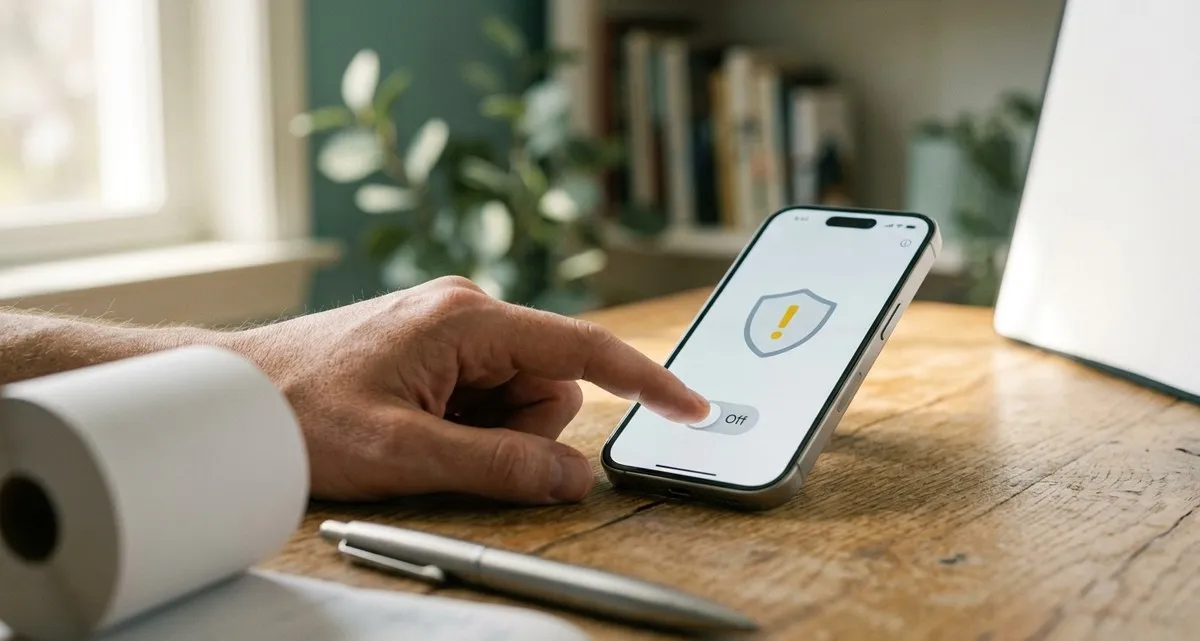
Why your iPhone needs the new anti‑scam shield
If you’ve ever worried that a clever phishing message could trick an employee into sending money or handing over a password, you’re not alone. Small‑business owners often hear horror stories about “someone pretended to be a supplier and got paid” – and the loss is felt instantly in the bank account and the reputation of the business.
Apple’s latest mobile operating system, iOS 27 (and iPadOS 27), adds a new layer of protection called Impersonation Risk Detection. It’s a hidden setting that, when turned on, lets supported apps warn you before you take an action that looks like a scam. The feature is off by default, but enabling it costs only a few taps and can give you an extra safety net when traditional tools like two‑factor authentication aren’t enough.
How Impersonation Risk Detection works
When you use an app that supports the new setting, the app can ask Apple for a risk level before it lets you continue with a sensitive action – for example, sending a payment, changing a password, or sharing account details.
Apple looks at signals from your device and Apple ID (such as recent login locations, known phishing patterns, or unusual app behavior) and returns one of three levels:
| Risk level | What it means |
|---|---|
| Unknown | No obvious signs of trouble. The app can proceed, but it still doesn’t guarantee safety. |
| Medium | Some suspicious indicators were found. The app may ask you to confirm the action or show a gentle warning. |
| High | Strong signs of a possible scam. The app can block the action, require extra verification, or display a clear warning. |
The app decides how to react – Apple only supplies the risk rating, never the raw data. This means your private messages, photos or emails stay on your device; Apple never sees the content you’re working with.
Because the feature needs apps to request a risk assessment, it is turned off by default. Apple wants to make sure users understand the extra permission they are granting: the app receives a risk rating that is derived from your device activity, not the actual content of your communications.
Step‑by‑step: turning the shield on
Enabling Impersonation Risk Detection takes less than a minute. Follow these instructions on any iPhone or iPad running iOS 27 / iPadOS 27:
- Open Settings.
- Tap Privacy & Security.
- Scroll to Impersonation Risk Detection and tap it.
- Switch on Share with App Developers – this consents to sending a risk rating to apps that ask for it.
- Wait up to 24 hours for the change to become active; after that the setting works silently in the background.
Why you should enable it today
Protect money transfers: a common scam involves an email that looks like it’s from a trusted supplier, asking you to change the bank account for the next invoice. A supported payment app that receives a High rating will warn or block the transfer, giving you a moment to double‑check. Guard against credential theft: attackers often try to trick users into entering their Apple ID password on a fake login screen. When the app detects a suspicious login attempt, a Medium or High rating triggers an extra verification step, reducing the chance the password is handed over. Preserve your reputation: catching risky actions early lowers the likelihood of a data breach, which protects customer trust and your brand’s image.
Real‑world scenarios for small businesses
-
Bakery with a mobile POS: The owner receives a text that appears to be from the payment processor, asking to update the merchant account number. The POS app asks Apple for a risk rating; a High rating triggers a warning, prompting the owner to verify the request through the official channel.
-
Dental clinic using an appointment‑booking app: A patient’s email contains a link that looks like the clinic’s login page. When the staff member tries to log in, the app receives a Medium rating and shows a prompt to confirm the URL, preventing credential leakage.
In each case the feature does not replace good habits – you still need to verify requests and train staff – but it adds a safety net that catches many scams before they cause damage.
Frequently asked questions
Q: Do I need to update every app for the feature to work?
A: Only apps that have been updated to support Impersonation Risk Detection can request a risk rating. Most major banking, payment and password‑manager apps are expected to add support soon. You can check the list in Settings → Privacy & Security → Impersonation Risk Detection.
Q: Will Apple see the content of my messages or photos?
A: No. Apple only analyses metadata about the action you’re about to take. The actual content of your messages, emails or photos never leaves your device.
Keep your business safe with a little extra help
Turning on Impersonation Risk Detection is a simple step, but many small‑business owners overlook it because it’s hidden in the settings menu. If you’d like a partner to make sure every device in your company is configured correctly, to train your team on recognizing phishing attempts, and to set up ongoing monitoring of risky app behavior, our Security & Protection service is here for you. We can audit your mobile devices, verify that the new setting is active, and provide a short workshop so your staff knows exactly what to do when a warning appears – a few minutes now can save you hours of trouble and potentially thousands of euros later.
Ready to tighten your mobile security? Get in touch with IT Move NL today and let us help you keep your business running smoothly, without the fear of hidden scams.
Sources:

He/Him · AWS Certified Solutions Architect | Cloud Engineer @ Essent
Cloud Engineer at Essent B.V. with 10+ years of experience in the tech industry. AWS Certified, passionate about serverless architectures, Infrastructure as Code, and DevOps. Proficient in TypeScript, Python, and Terraform. Based in Amersfoort, Netherlands.
STAY IN THE LOOP
// Cloud, AI & DevOps insights — straight to your inbox.
No spam. Unsubscribe anytime.
// Related articles
Need help with your cloud infrastructure?
Our team of experts is ready to help you navigate the complexities of modern cloud architecture.
Get in Touch