WordPress security alert: Patch the Click2Shell flaw now
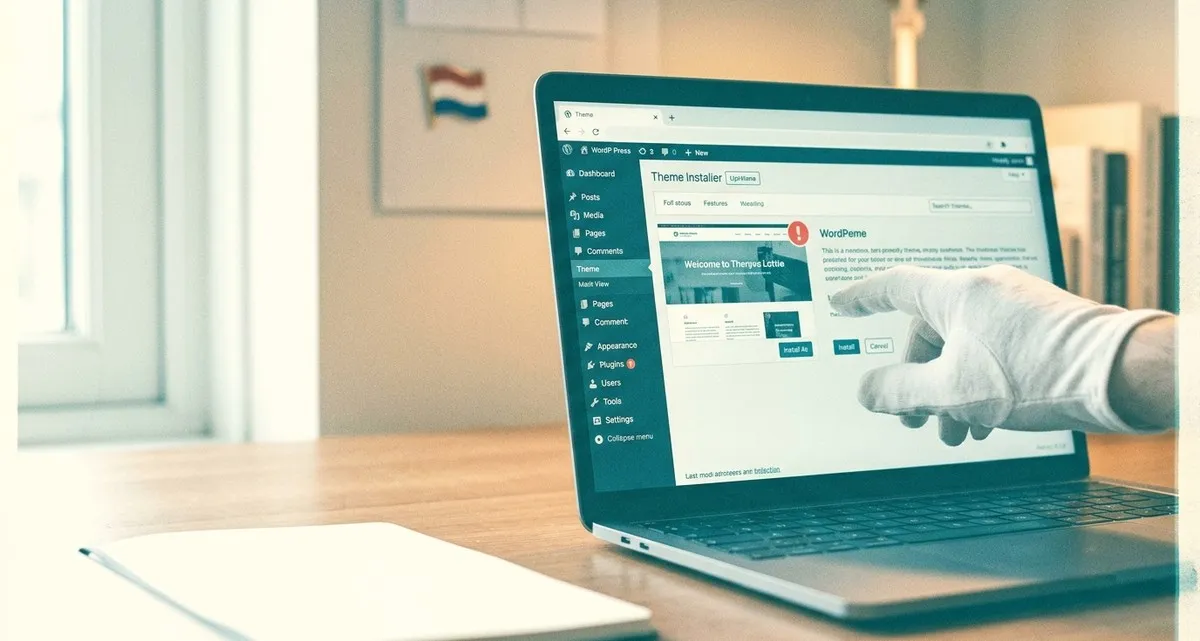
Image generated with AI
This article and its cover image were generated with artificial intelligence (AI).
One click, one risk – why you need to patch your WordPress site today
Imagine you receive an email that looks perfectly normal, click a link, and nothing seems to happen. Behind the scenes, however, a hidden script has told the WordPress admin panel to download and install a theme you never chose. In seconds, a hacker gains the ability to run code on your website – and that could mean a frozen online shop, stolen customer data, or a complete loss of service.
That is exactly what the new Click2Shell vulnerability does. It targets the WordPress platform, which powers a large share of Dutch small‑business websites, from bakeries to boutique e‑shops. The good news? The fix is already available, and the steps to protect yourself are straightforward. Let’s walk through what’s happening, why it matters to you, and how to lock down your site right now.
What is the Click2Shell WordPress security flaw?
Click2Shell is a bug in the core of the WordPress platform. When an administrator who is already logged in clicks a specially crafted URL, WordPress interprets part of that link as a theme name and automatically pulls that theme from the official WordPress.org directory. The platform then clicks the “Install” button for you – no extra confirmation is required.
Key points in plain language
- Forced theme install: The site downloads a theme that the attacker controls, but the theme stays inactive, so the look of the site does not change.
- Chain to code execution: If the malicious theme contains its own weakness (as the researchers demonstrated), the attacker can run their own code on the server (meaning the attacker can make the server do anything they want).
- Requires a logged‑in admin: The attack works only when an admin opens the crafted link, because the admin’s session supplies the necessary permissions.
The vulnerability was patched in WordPress 7.1.1, released on 17 September 2026. Updating to that version (or any later version) removes the bug entirely.
How it could affect your business today
For a small business, a WordPress site is often the front door to sales, bookings, and customer communication. A successful Click2Shell attack can lead to:
- Website downtime: If the attacker injects malicious code, the site may crash or be taken offline while you clean it up.
- Data loss or theft: Customer details, order histories, and payment information can be exposed.
- Reputation damage: A compromised site can scare away customers and hurt search‑engine rankings.
- Financial cost: Fixing a breach, restoring backups, and possibly paying for forensic analysis can quickly exceed the cost of a simple update.
Because the flaw works silently, you might not notice anything wrong until the attacker has already taken control. That’s why acting now is essential.
Step‑by‑step remediation checklist
1. Update WordPress immediately
- Log in to your admin dashboard.
- Go to Dashboard → Updates.
- If WordPress 7.1.1 (or a newer version) is listed, click Update Now.
- If you use a managed host, contact them to confirm the update has been applied.
2. Enable automatic WordPress security updates
- In Settings → General, check the box for “Enable automatic updates for minor releases.”
- For major releases, consider a plugin that schedules updates after a brief testing window.
3. Strengthen admin access
- Strong passwords: Use a unique, long password for every admin account.
- Two‑factor authentication (2FA): Add an extra step, such as a code sent to a phone, to the login process.
- Limit login locations: If possible, restrict admin logins to trusted IP addresses (e.g., your office network).
4. Install a reputable security plugin
A security plugin can:
- Block suspicious URLs before they reach the admin panel.
- Alert you to unexpected theme installations.
- Provide a firewall that stops known malicious patterns.
5. Keep regular backups
- Schedule daily backups of both files and the database.
- Store backups off‑site (e.g., a cloud storage service you control).
- Test the restore process at least once a quarter.
6. Monitor for unexpected changes
- Review the Themes page weekly for any new entries you did not add.
- Set up email notifications for admin actions if your security plugin supports it.
By following these steps, you close the Click2Shell door and add layers of protection against future threats.
Frequently asked questions
Q: I’m not comfortable updating WordPress myself. What should I do?
A: Many hosting providers offer one‑click updates or can perform the upgrade for you. Reach out to your host’s support team and ask them to apply the WordPress 7.1.1 security release immediately.
Q: My site uses a custom theme. Will the update break it?
A: The core update does not modify theme files. However, it’s always a good practice to test the update on a staging copy of your site first, especially if you have heavily customized code.
Q: Do I need to reinstall all my plugins after the update?
A: No. Plugins are separate from the WordPress core. Still, keep them up to date, because outdated plugins can introduce their own vulnerabilities.
Q: How can I improve my WordPress security after the Click2Shell patch?
A: Keep WordPress core, themes and plugins up‑to‑date, enable automatic updates, use strong passwords, two‑factor authentication, and a reputable security plugin.
Closing: let IT Move NL keep your site safe
Keeping a WordPress site secure is a moving target – new bugs appear, and attackers constantly look for the easiest way in. Our Security & Protection service takes the hassle out of it for you. We:
- Apply core updates the moment they are released.
- Monitor admin activity and block suspicious links before they reach your dashboard.
- Harden login procedures with strong passwords, two‑factor authentication, and IP restrictions.
- Perform regular backups and test restores, so you can bounce back instantly if anything goes wrong.
You focus on baking, serving customers, or designing; we focus on keeping your online presence safe and running smoothly. If you’d like a hand keeping your site secure, feel free to get in touch with us at IT Move NL.
Sources:
- New WordPress Click2Shell Flaw Forces Theme Installs, Can Chain to Code Execution
- Critical Check Point Management Flaw Lets Unauthenticated Attackers Run Code as Root
- Critical Docker Sandboxes Flaw Lets Malicious Guest Code Read and Modify macOS Host Files
- Critical Unbound DNSSEC Validator Flaw Could Allow RCE via a Malicious DNS Zone

Reviewed by
David Velarde RoblesHe/Him · Content reviewer · AWS Certified Solutions Architect | Cloud Engineer @ Essent
Cloud Engineer at Essent B.V. with 10+ years of experience in the tech industry. AWS Certified, passionate about serverless architectures, Infrastructure as Code, and DevOps. Proficient in TypeScript, Python, and Terraform. Based in Amersfoort, Netherlands.
STAY IN THE LOOP
// Cloud, AI & DevOps insights — straight to your inbox.
No spam. Unsubscribe anytime.
// Related articles
Need help with your cloud infrastructure?
Our team of experts is ready to help you navigate the complexities of modern cloud architecture.
Get in Touch