Don’t Let Cyberattacks Check You Out: Protect Your Accommodation Business
Don’t Let Cyberattacks Check You Out: Protect Your Accommodation Business
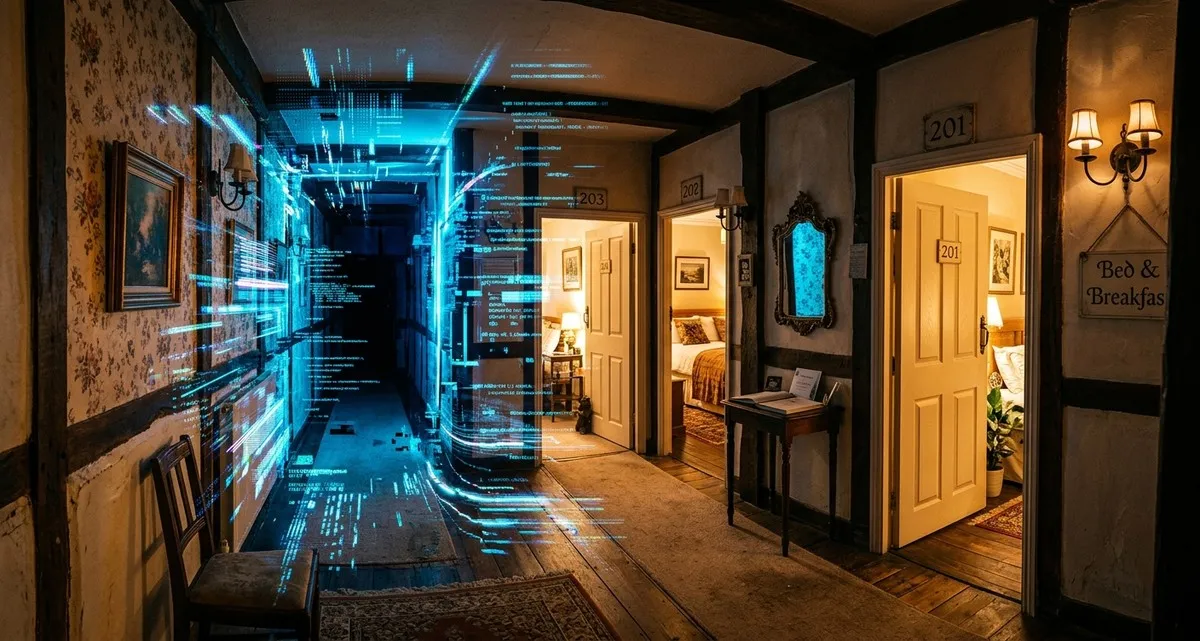
More people are travelling again, which is great news for Dutch accommodations. But a new report from Booking.com shows a growing divide: while larger hotels are thriving and prepared for cyber threats, smaller businesses like B&Bs, guesthouses, and independent hotels are falling behind—and becoming bigger targets for cybercriminals.
Ignoring online security isn’t just risky; it could be devastating for your bookings, reputation, and bottom line. The good news? You don’t need to be a tech expert to protect your business. Here’s what you need to know—and what you can do today.
The Growing Gap: Big Hotels vs. Small Stays
Booking.com’s 2026 European Accommodation Barometer paints a positive picture for the travel industry overall. Occupancy rates are up, and 66% of accommodations expect growth in the next year. But dig deeper, and a worrying trend emerges: smaller businesses are struggling to keep up, especially when it comes to cybersecurity.
- 72% of large hotel chains report a strong economic situation, compared to just 55% of independent accommodations.
- 94% of large properties feel prepared for cybersecurity risks, while only 60% of small businesses (with fewer than 10 employees) say the same.
- 21% of smaller businesses see cybersecurity as a top concern, compared to just 9% of larger properties.
This isn’t just about money—it’s about safety. Smaller accommodations often handle sensitive guest data (like credit card details and personal information) but have fewer resources to protect it. That makes them prime targets for cybercriminals.
What Does “Cybersecurity” Actually Mean for Your Business?
Cybersecurity might sound like a technical term, but for your accommodation business, it’s really about three simple things:
- Protecting guest data – Names, email addresses, and payment details are gold for hackers. If stolen, you could face fines, lost bookings, and a damaged reputation.
- Keeping your systems running – Ransomware (malicious software that locks your data until you pay) can shut down your booking system, leaving you unable to take reservations.
- Securing your Wi-Fi and devices – Unsecured networks are an easy entry point for hackers to steal data or spread malware.
You don’t need to be an IT expert to cover the basics. Think of it like locking your doors at night—it’s just good business sense.
Why Smaller Businesses Are More Vulnerable
Larger hotels have dedicated IT teams, cybersecurity training, and advanced tools. Smaller accommodations? Not so much. Here’s why you might be at higher risk:
- Limited resources – You may not have the budget for expensive security software or IT support.
- Lack of expertise – Cybersecurity isn’t something most small business owners have time to learn.
- Underestimating the risk – Many assume hackers only target big companies, but small businesses are often easier targets.
The report found that only 5% of smaller accommodations reported a cybersecurity incident in the past year—but that doesn’t mean attacks aren’t happening. Many breaches go unnoticed or unreported.
Simple Steps to Protect Your Business
You don’t need a big budget or technical know-how to improve your cybersecurity. Here are five practical steps you can take right now:
1. Use Strong Passwords and Two-Factor Authentication (2FA)
- What it is: A password is your first line of defense. 2FA adds an extra layer (like a code sent to your phone) to stop hackers even if they steal your password.
- How to do it: Use a password manager (like Bitwarden or 1Password) to generate and store strong passwords. Enable 2FA on your booking system, email, and any other accounts that handle guest data.
2. Keep Your Software Updated
- What it is: Outdated software often has security holes that hackers can exploit.
- How to do it: Turn on automatic updates for your operating system, booking software, and any apps you use. If you’re unsure, ask your software provider how to enable updates.
3. Secure Your Wi-Fi Network
- What it is: Unsecured Wi-Fi is an easy way for hackers to access your devices and data.
- How to do it:
- Change the default password on your router.
- Use WPA3 encryption (the most secure option).
- Set up a separate network for guests so they can’t access your business devices.
4. Train Yourself and Your Staff
- What it is: Many cyberattacks start with a simple mistake, like clicking a phishing email (a fake message designed to trick you into revealing passwords or downloading malware).
- How to do it:
- Learn to spot phishing emails (look for odd sender addresses, urgent requests, or suspicious links).
- Teach your staff the basics—even just 10 minutes of training can prevent a costly mistake.
5. Back Up Your Data Regularly
- What it is: If ransomware locks your data, a backup lets you restore it without paying a ransom.
- How to do it:
- Use an external hard drive or cloud backup (like Google Drive or Dropbox) to store copies of your important files.
- Test your backups occasionally to make sure they work.
FAQ: Cybersecurity for Small Accommodations
Q: I’m a small B&B—do I really need to worry about cybersecurity?
A: Yes. Hackers often target small businesses because they assume you’re not protected. Even if you don’t handle credit cards directly, you likely store guest data (names, emails, booking details) that hackers can sell or use for fraud.
Q: What’s the easiest way to improve my security without hiring an IT expert?
A: Start with strong passwords, 2FA, and Wi-Fi security. These three steps alone will block most common attacks. Then, keep your software updated and back up your data regularly.
Q: What should I do if I think my business has been hacked?
A:
- Disconnect the affected device from the internet.
- Change passwords for all accounts (especially email and booking systems).
- Restore from a backup if possible.
- Report the incident to your local cybersecurity authority (in the Netherlands, that’s NCSC).
- Inform guests if their data may have been exposed (this is often required by law).
IT Move NL
Whether you run a cozy B&B in Amsterdam or a boutique hotel in Rotterdam, cybersecurity isn’t just a tech issue—it’s a business issue. The good news? You don’t need to figure it out alone. If you’re unsure where to start or want a quick checkup of your digital setup, let’s talk. No jargon, no sales pitch—just practical advice to keep your business safe.
Sources:
- 2026 European Accommodation Barometer: Challenges, Concerns & Diverging Outlooks Despite Ongoing Optimism - Hospitality Net
- Leica Biosystems Announces Expansion of Collaboration to Scale Precision Medicine and Develop AI-Powered Diagnostics - BioSpace
- CCE Open Academy 2026: EU cosmetics regulation under the spotlight - Cosmetics Business

He/Him · AWS Certified Solutions Architect | Cloud Engineer @ Essent
Cloud Engineer at Essent B.V. with 10+ years of experience in the tech industry. AWS Certified, passionate about serverless architectures, Infrastructure as Code, and DevOps. Proficient in TypeScript, Python, and Terraform. Based in Amersfoort, Netherlands.
STAY IN THE LOOP
// Cloud, AI & DevOps insights — straight to your inbox.
No spam. Unsubscribe anytime.
// Related articles

Need help with your cloud infrastructure?
Our team of experts is ready to help you navigate the complexities of modern cloud architecture.
Get in Touch