Free SSL certificates will be valid for 64 days – what owners must do
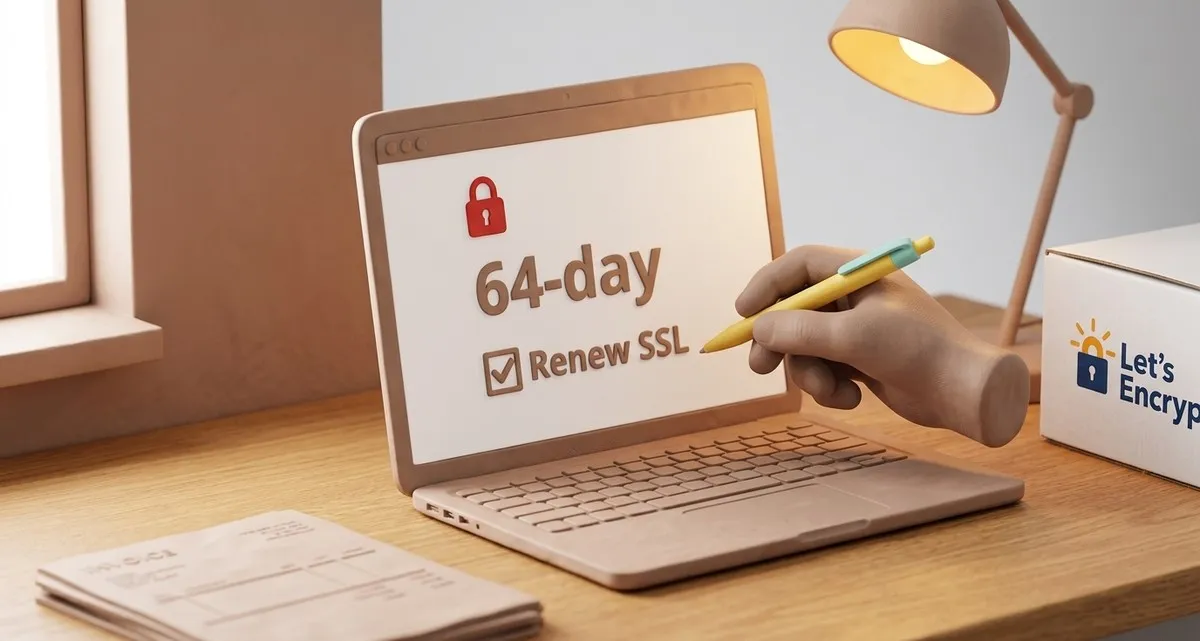
Image generated with AI
This article and its cover image were generated with artificial intelligence (AI).
Your website could go offline in 2027 – Let’s Encrypt shortens SSL certificates to 64 days
If your business website uses a free SSL certificate from Let’s Encrypt, you’ll need to change something before February 10 2027. Let’s Encrypt announced it will cut the lifetime of its free certificates from 90 days to 64 days. That sounds like a small number, but it means you have to renew more often – and if you don’t, your site can suddenly stop working, costing you customers and revenue.
In this article we’ll explain what the change is, why it matters for a small‑business owner, and give you a three‑step checklist you can act on today. At the end we’ll show how IT Move NL can take the whole process off your plate, so you never have to worry about an expired certificate again.
What the 64‑day SSL change means for your site
Shorter lifetimes = better security
Let’s Encrypt introduced 90‑day certificates back in 2016 to force website owners to automate renewals. A shorter lifetime limits the damage if a private key is stolen: the stolen key becomes useless sooner because the certificate expires faster. The new 64‑day window tightens that safety net even more.
More renewals = more risk if you’re still doing it manually
Most small‑business owners rely on a “set‑and‑forget” approach: a script that runs once a month or a reminder on a calendar. Those methods worked when certificates lasted three months. With a 64‑day window you now have to renew roughly every two months. If your renewal process is hard‑coded to run at “60 days before expiry” or you still click a button in a web console, you’ll miss the deadline and your site will show the dreaded “Your connection is not private” warning, or it will simply stop loading.
The impact of an expired certificate
An expired SSL/TLS certificate does more than display a warning. Modern browsers block access to sites with invalid certificates, meaning:
- Customers can’t place orders on your webshop.
- Patients can’t book appointments on your clinic’s portal.
- Your brand looks unprofessional – a simple security warning can erode trust instantly.
An expired certificate can turn a day’s traffic into zero revenue.
Three‑step checklist to stay online
Here’s a 3‑step checklist to keep your free SSL certificates renewing automatically.
1. Audit your current renewal schedule
- Look for hard‑coded numbers in your scripts or hosting control panels (common values are 80, 83, or 60 days before expiry).
- Verify when the last renewal actually happened. If you’re still on a 90‑day cadence, you need to adjust now.
2. Make sure your ACME client (the software that talks to Let’s Encrypt) supports ARI (ACME Renewal Information)
Most modern ACME clients can receive a signal from the certificate authority telling them exactly when to renew. If your client is older, it may ignore that signal and rely on the old hard‑coded schedule. Update the client or switch to a supported one – the change is usually as simple as a one‑line configuration update.
3. Set up automated monitoring and alerts
Even with automation, things can go wrong: a failed renewal, a DNS change, or a temporary network outage. Configure:
- Email or SMS alerts for renewal failures.
- A health check that verifies your site is still serving a valid certificate after each renewal.
- A fallback plan (e.g., a temporary self‑signed certificate) that keeps the site reachable while you fix the issue.
If you prefer not to manage this yourself, a managed SSL service can handle the entire process and keep you informed.
FAQ
Q: I’m not using Let’s Encrypt – does this affect me?
A: The change only applies to Let’s Encrypt certificates. If you use another certificate authority, check their renewal policies. However, the lesson is the same: shorter lifetimes mean you need reliable automation.
Q: My website is hosted on a platform that claims “SSL is included”. Do I still need to worry?
A: Many hosting platforms now manage SSL for you, but only if they have updated their automation to the new 64‑day schedule. Verify with your host that they have tested the February 2027 rollout. If you’re unsure, ask them to confirm.
Q: Can I still use a 90‑day certificate if I don’t want to change anything?
A: Let’s Encrypt will stop issuing 90‑day certificates on February 10 2027. You would need to switch to a different certificate authority that still offers longer lifetimes, which often comes with a cost. For most small businesses, the extra expense isn’t worth the risk of manual renewals.
Keep your site secure and always online with IT Move NL
Managing SSL/TLS certificates may sound technical, but the consequence is simple: an expired certificate can shut your website down. Our Security & Protection service takes the hassle out of the equation. We:
- Monitor your certificates 24/7 and renew them automatically before they expire.
- Provide real‑time alerts if a renewal fails, so you’re never left guessing.
- Keep your website compliant with the latest security best practices, including the upcoming 64‑day Let’s Encrypt change and future reductions.
Think of us as the friend who always checks the lights are on before you leave the house. You focus on running your bakery, clinic, or webshop; we make sure the digital front door stays open.
Ready to protect your site? Get in touch with IT Move NL today and let us handle the SSL headaches so you can keep serving your customers without interruption. Our Security & Protection service handles the renewal of your free SSL certificates, with 24/7 monitoring.
Sources:

Reviewed by
David Velarde RoblesHe/Him · Content reviewer · AWS Certified Solutions Architect | Cloud Engineer @ Essent
Cloud Engineer at Essent B.V. with 10+ years of experience in the tech industry. AWS Certified, passionate about serverless architectures, Infrastructure as Code, and DevOps. Proficient in TypeScript, Python, and Terraform. Based in Amersfoort, Netherlands.
STAY IN THE LOOP
// Cloud, AI & DevOps insights — straight to your inbox.
No spam. Unsubscribe anytime.
// Related articles


Need help with your cloud infrastructure?
Our team of experts is ready to help you navigate the complexities of modern cloud architecture.
Get in Touch