Is your backup tool letting hackers into your website?

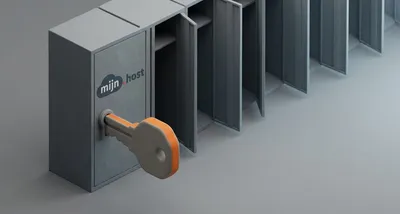
Image generated with AI
This article and its cover image were generated with artificial intelligence (AI).
Imagine you run a dental clinic. You have a professional website where patients book appointments and find your contact details. To make sure you never lose your data, you install a trusted backup tool. It is the digital equivalent of a fireproof safe—you use it specifically to protect your business from disaster.
But what happens when the company that made the safe accidentally leaves a master key under the doormat for a thief to find?
This is the uncomfortable reality facing many business owners this week. TeamUpdraft, the company behind popular WordPress backup tools like UpdraftPlus, has reported a security breach. The irony is sharp: the very tool designed to save your website from a crash or a hack may have become the doorway for attackers to get in.
The risk of a WordPress backdoor
According to TeamUpdraft, attackers managed to steal customer data and encryption keys (the digital codes used to lock and unlock your data).
For a business owner, the biggest concern here is the “backdoor.” In security terms, a backdoor is a secret way to bypass normal passwords and security checks to gain access to a system. Because backup tools need high-level access to your website to copy every file and database entry, they hold the “keys to the kingdom.”
If an attacker steals those keys from the provider, they don’t need to guess your password; they can simply walk through the front door as if they owned the place.
How to find and remove hidden access to your site
If you use TeamUpdraft products, you cannot assume your site is safe just because you have a backup. You need to take active steps to kick any intruders out and lock the door behind them.
Depending on which tool you use, the steps vary. Here is a practical checklist:
If you have an account at teamupdraft.com:
- Change your password. This is the first line of defense.
- Reset your two-factor authentication (2FA). If you use an extra security step, like a code sent to your phone, reset it in your account settings to ensure the attackers haven’t hijacked the process.
If you use the UpdraftCentral cloud service:
- Disconnect the connection. Log into the WordPress dashboard of every site you manage and delete the connection key. This cuts the link that attackers could use to send malicious commands to your site.
- Audit your users. Look at your list of administrator accounts. If you see a name or email address you don’t recognise, delete it.
- Check your plugins. Look for any plugins you didn’t install yourself and remove them.
- Update all passwords. Change the passwords for every single administrator account on your site.
If you use UpdraftVault:
- Reconnect your site. TeamUpdraft has already disconnected these accounts for safety, which means your backups have stopped working. Log in and reconnect, but only after you have changed your account password.
If you find anything suspicious—like a new admin user you didn’t create—the safest move is to restore your website from a backup made before October 17.
The bigger lesson: Understanding vendor risk
This incident highlights a concept called “vendor risk.” As a business owner, you don’t build your own servers or write your own backup software; you trust other companies to do it for you. This is efficient, but it creates a dependency.
When you give a plugin or a service “administrator” access to your website, you are extending your trust to that company’s security team. If their office is breached, your website is effectively breached too.
To protect your business in the long run, it is worth performing a “keys to the kingdom” audit. Ask yourself:
- Which tools have full access to my website or customer data?
- If this company were hacked tomorrow, what is the worst thing that could happen to my business?
- Do I have a way to recover my site that doesn’t depend on a single third-party provider?
The goal isn’t to stop using helpful tools, but to be aware that no vendor is 100% secure.
Frequently Asked Questions
Do I need to do anything if I use the free version of UpdraftPlus without an account? According to the provider, if you use the free version and have never created an account at teamupdraft.com, you are not affected by this specific breach. However, it is always a good habit to keep your plugins updated.
Why can’t the plugin provider just fix it for me automatically? While they can fix the hole in their own system, they cannot always reach into your private website to delete a rogue admin account or change your personal passwords. Some of these cleanup steps must be done by the site owner for security and privacy reasons.
Is WordPress itself insecure? No. WordPress is a platform used by millions. The risk here isn’t the platform, but the third-party “add-ons” (plugins) that are added to it. It is like having a secure house but installing a lock from a company that loses its master keys.
Ensuring your site is truly clean
Following a security checklist is a great start, but it can be nerve-wracking for a business owner who isn’t a technical expert. It is easy to miss a hidden admin account or a small piece of malicious code tucked away in a folder where you wouldn’t think to look.
If you are worried that your site might still be compromised, or if you simply want the peace of mind that the backdoor is truly closed, we can help. We provide professional security audits and protection services to verify your site’s integrity, remove any lingering threats, and harden your defenses against future vendor risks.
If you want a professional to double-check your work and ensure your business is secure, feel free to get in touch with us.
Sources:

Reviewed by
David Velarde RoblesHe/Him · Content reviewer · AWS Certified Solutions Architect | Cloud Engineer @ Essent
Cloud Engineer at Essent B.V. with 10+ years of experience in the tech industry. AWS Certified, passionate about serverless architectures, Infrastructure as Code, and DevOps. Proficient in TypeScript, Python, and Terraform. Based in Amersfoort, Netherlands.
STAY IN THE LOOP
// Cloud, AI & DevOps insights — straight to your inbox.
No spam. Unsubscribe anytime.
// Related articles


Need help with your cloud infrastructure?
Our team of experts is ready to help you navigate the complexities of modern cloud architecture.
Get in Touch